
The Ultimate Guide to Create a Brand Identity in 2023

It’s important to build your own brand identity. A strong brand is a powerful tool to help you create and build on your unique personality and voice. In an age when brand identity is increasingly important, knowing how to create a brand identity can help you stand out in the crowd.

What is Brand Identity

So what is brand identity anyway? Let’s first discuss what it’s not. Your brand is not your logo. Your brand is your mission statement, your vision, and the overall direction you are heading in as a business. It’s the essence of your company. It’s what makes you unique.

Brands are becoming more and more important to us in the digital age, and while many people understand that the purpose of branding is to sell products or services, it’s also a lot more than that. Branding is a concept that can be applied to almost any endeavor, and not all companies have a brand identity that represents their mission. Some companies struggle to figure out what they want to be when they grow up. As you build your company’s brand identity, you’ll learn how to develop your unique selling proposition, define your core values, and create a compelling brand voice.

BRAND IDENTITY

BRAND IDENTITY

 How to make a successful brand 

To have a successful brand, you need to define a consistent visual identity that appeals to your target audience. When customers see your logo and brand image everywhere they turn, they’ll associate your brand with positive feelings. By doing this, you’ll be able to build stronger connections with your audience, which will ultimately lead to more sales. But more is needed to have a logo or design. It would help if you also had a brand personality that represents your business’s essence. And you need to be able to apply that personality across all marketing channels to help your brand become part of people’s daily lives.

 What is Brand Marketing 

According to HubSpot, brand marketing is the art of building and maintaining a brand’s identity, reputation, and value. It involves a lot of different things, but the main goal is to establish your company’s brand as a leader in your industry.

 Brand marketing is a catch-all term used to describe a company’s strategy around its brand and its value to consumers. These strategies can be as simple as designing a company’s logo but can also include everything from how a company talks about itself to what products they offer customers. Brand marketing includes a range of techniques, from advertising and public relations to word-of-mouth marketing.

  •  Brand marketing is a set of methods and processes designed to help you create awareness of your brand, engage customers, develop loyalty and grow your sales.
  • Brands are the total of everything that makes up an organization, including its name, logo, voice, values, beliefs, promises, and products or services.
  • Brand marketing aims to increase customer awareness, build customer loyalty, encourage purchases and enhance profits.

brand marketing

brand marketing

Why is Brand Development Important? 

When you hear the brand, marketing, and advertising, the last thing you may think of is development. However, building and strengthening a company brand is just as important as the actual marketing campaign itself. 

Brand development can be seen as a process that happens throughout a brand’s life. Whether it’s a brand you’re building from scratch or one that you’re trying to improve upon, brand development is the process of bringing your brand’s promise, vision, values, and goals to life. Brand development aims to build a brand that is authentic, clear, consistent, memorable, and valuable.

How to make a brand identity?

So you’re ready to get started on creating your first brand identity. But before you start, take a moment to think about the words or images that describe you as a brand. You should be able to answer questions like these: Who am I? What am I known for? What does my ideal client look like? Who does my competitors target? What makes me different from my competitors? Where do I come from? Where do I live? How big is my company? How long have I been in business?

1. Define the Purpose of Your Business

Your mission, vision, and values define the purpose of your business. While each term can mean different things to different people, they’re generally all connected. The mission is what your business does, the vision is how it should do it, and values reflect how you treat your customers, employees, suppliers, and others in the business world.

 Think about who you’re creating this business for and why. It’s okay to have multiple purposes for your business—that’s the beauty of entrepreneurship—but if you can’t define them clearly for your audience, they’ll never understand your motivations. Your purpose is critical for two reasons:

Check Post: Wooden Door Designs

 2. Choose a Logo and Mascot

A strong, memorable logo is essential in the early stages of any company. It should include everything from the logo design, the color palette, the font, and the typeface. When developing a brand identity, keeping the entire logo in mind is always essential because it will be the first impression your brand creates. The mascot is equally essential to the logo, representing the company’s personality. Remember, the mascot doesn’t have to be as complex as the logo. It just needs to be memorable.

 You need an immediately recognizable logo. Something that people can associate with you. But it can be something other than something that makes your company famous. The most important thing is that it represents your brand identity. Remember that if your brand is your company, the logo should uniquely represent your company. Your logo should reflect the personality of your company. It should be distinctive. So don’t be afraid to be creative.

  • Consider the Brand Persona
  • Create Logos and Mascots that Will Stand Out
  • Find and Analyze Successful Brands
  • Consider the Visual Style
  • Consider Your Target Audience
  • Decide on a Name
  • Keep Your Mascot Simple
  • Find a Common Theme
  • Pick a Logo/Mascot Color Scheme
  • Create a Great Company Description
  • Research Logo Ideas
  • Create a Business Card or a Website Logo

WHAT IS BRAND IDENTITY

WHAT IS BRAND IDENTITY

 3. Create a Brand Statement and Tagline

A brand statement declares your company’s purpose, values, and vision. It gives people a snapshot of who you are and what you stand for and is a marketing tool for building trust in your brand. Your tagline should be shorter, stronger, and more memorable than your brand statement. A tagline is a sentence or two that encapsulates your brand and should tell people what your business is all about. Ideally, your tagline and brand statement will reinforce each other so that they support each other and work together as a complete message.

4. Web Development

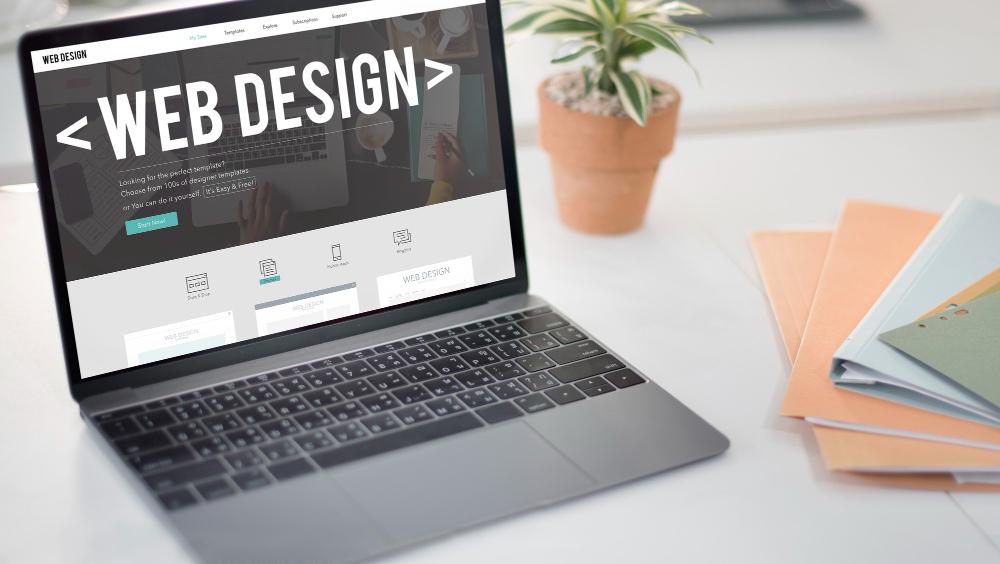
The next step in the process is Web Development Services. Many online stores start with a website but focus on something other than it. The reason is simple: building a website can take some time and money. A good rule of thumb is to spend 10% of your company’s annual revenue on your website (unless you have a lot of expertise in website building, in which case it’s more like 15%). You need Web Hosting Services to make a website online.
CREATE A WEBSITE

CREATE A WEBSITE

5. Design Packaging and Promotional Materials

The second part of the first principle is designing for packaging. Packaging has to be designed to grab people’s attention. People don’t look at the back of a cereal box for long; they glance at it, see what’s in it, and move on. Consumers are always focused on the contents of the package. 

6. Market your Brand

In marketing, when we talk about brand, we mean the intangible assets that consumers associate with a business or product. A brand is the combination of your company’s story (what’s your story?), your identity (who are you?), and your promise (what will you deliver?). Consumers can’t see a brand, but they can feel it. Consumers can’t hear it, but they can taste it. And they can touch it. So how do you create a sense of urgency to sell?

7. Research your target audience and your competitors.

Before you start writing your content, research your audience and your competitors. How are they similar to and different from each other? Are there specific topics or products that your audience has expressed interest in? The answers to these questions help you decide what angle to take when writing your content.

Conclusion: 

In conclusion, when it comes to creating a brand identity, the key to a successful strategy is to avoid jumping into the deep end all at once. Instead, think about how you want your brand to look and feel and begin the design process by testing different components with a small group of your potential customers. If you’re a creative person, your ideas could be incorporated in a variety of ways–from print ads to t-shirts, from billboards to apps. The important thing is to get started. Once you do, you’ll be able to take the best ideas and make them come alive.

 

How to start a blog in 2022

How to start a blog in 2022

Starting a blog can be an intimidating experience–especially if you’ve never built a website before.

It is possible to start a blog much easier than you might think. You can build a functional website in a matter of hours.

This article will show you how to identify a niche for blogging, choose the right platform, name your blog and choose a hosting provider. We’ll also help you build your site, publish your first posts, and much more.

What is a blog?

Blogs are websites that focus mainly on writing content. These blog posts are composed of pieces of written content.

Blogs are available on almost every topic you can think of, from personal blogs to business blogs and blogs that serve as the heart of major media companies like Buzzfeed. Blogs are different from other websites because they are primarily composed of blog articles.

Quality blogs have helped to build many successful online businesses. You can build a targeted audience through blogging, and then you can sell products, courses, or services to them. You can transform a blog into a brand with the right web hosting package.

Why you should start a blog

There are many reasons to start a blog. You can use your blog to promote your site, generate traffic, and/or share your opinion with the world.

You don’t have to be a Faulkner-level writer in order to start a blog. Faulkner’s style of writing wouldn’t work well for blogging. The best blogs are simpler and more conversational. Blogs aren’t for people who want to read literary prose or textbook-like prose. They want practical, real-life information.

You might consider using tools to make your writing more professional or looking for a coach or course to improve your writing skills. You can learn writing and you will improve your skills with practice. Ask any blogger who is successful about their first posts.

To start a blog, you must have the knowledge to share and the curiosity to learn more. You need to have something to share or your blog will be boring.

Article Writing How to start a blog in 9 steps

While running a blog can be time-consuming and tedious, starting one can be done quickly. These ten steps will help you get your blog up and running.

Choose your niche

Do your research on the space you are looking for

Name your blog

Make an editorial calendar

Select your blogging platform

Buy web hosting

Create a new blog

Start writing

Your first post published

Promote your blog

Step 1: Choose Your Niche

Before you start to build your site and name your blog, it’s important to determine what topic you will be writing about. This is your niche.

A niche blog is not just about a particular topic or market segment. It is about how you will address the topic, your unique background and the audience to which you are speaking. Your niche will help you focus your blog, guide your website design, and highlight the unique value that you offer to your visitors.

Your blog niche should be closely tied to the products you sell if you are starting a blog to promote your business. It doesn’t make sense for a pet store to start a blog about football.

Create a Personal Brand. Think about your interests and goals. Are you looking to get a job? If so, ensure you are covering topics that relate to the types of businesses you want to work for and the jobs you plan to be hired for.

You don’t need to think strategically if you just want to create a blog about something you are passionate about. You should still consider the topics and points of view that you would like to cover. It’s unlikely that adding another blog about food will attract as many people as a more focused point of view. For example, how to make allergy-friendly food kids can eat. You will find a niche audience that is looking for your content. They are more likely to find it than the larger group of people who eat food.

Step 2: Research Your Space

Even if your niche is well-known, that doesn’t necessarily mean you know everything about how to make a blog successful in it. This stage is where you can learn about the blogs that are currently out there in your niche and which ones are most successful.

To find out more about the topics you want to cover in your blog, start by searching Google. You should pay particular attention to blogs that feature articles on multiple topics. Spend time on these websites and pay close attention to:

These are the main topics they cover. You’ll often see them listed in categories at the bottom of the blog, or along the side.

The length of their blog posts tends to be

If headlines are based on any common structure

How the blog posts are organized (how many sections they have, how frequently they use bullet points or numbered lists etc.

They may also include images, videos, and infographics.

These are the blog posts most popular (some blogs highlight them in a sidebar. Sometimes you can tell by the number of comments).

Look at your competitors and see if there are any gaps. Are you able to offer something that none of the other blogs have? While you are thinking about how to distinguish yourself, take note of what other blogs are doing well. You can look for trends in headlines, content types, and posts that are most popular with audiences (and search engines).

Step 3: Name your blog

Your topic should be the name of your blog. You want your readers to be able to identify the purpose of your blog by choosing something memorable and descriptive. This is where things can get tricky, because you have to pick something new.

Spend some time writing down keywords relevant to your niche and any other words that pop into your head. A travel blog does not need to include the word “travel” within its domain. You can use similar words such as voyage, wanderlust and expedition, travelling, flying, and many more.

Pat Flynn’s blog, Smart passive income, is an example of this. It clearly describes the site’s purpose:

Your blog name and domain name should be identical to keep things consistent. This will help you keep your site consistent and make it easier for people to find you. This means that you must choose a domain that matches your blog’s premise from the beginning.

Once you have some ideas in mind, use a domain searching tool for more information. The search tool will tell you whether your chosen domain is available, and if not, it will suggest similar options. This includes showing you domain extensions you can buy. Although.com is the most popular domain extension, successful blogs have been created using other extensions such as.net and.co.

Register the domain name once you have found one that is available with your preferred extension.

It’s not a good idea to let someone else take it while you are still planning.

How to write a blog

Step 4: Create your content schedule

Now that you have an idea of the content your blog will be covering, it is time to get more specific. It will make it easier to get your blog started if you have an editorial calendar. It will be easier to get your blog going if you know what you will be writing about.

You should start by choosing a few topics to write about. You can’t know everything unless you want to be the Amazon or Walmart of blogging. Focus your attention on the most important topics in your niche. These are the ones that you are passionate about learning or really know.

A few things can be done to narrow down your focus:

This will allow you to identify the best blog articles to write.

A well-organized website will make it easy for your visitors to understand your blog topic and help you attract more people.

If you start a lifestyle blog, for example, your main topics could be fashion, travel, and party planning. If you start a blog about fishing your main topics could be deep sea fishing and bay fishing as well as equipment reviews.

Once you have identified your blog’s main topics, you can create a content schedule.

A content calendar, also known as an editorial calendar, is a publication schedule. It can be used to track due dates, content types and publish dates. An editorial calendar can be used to plan and publish content on a regular basis. It also helps you consider seasonal and timely events.

How to make a content calendar

These are the steps you need to follow in order to create your blog content schedule.

  1. Start by listing your top topics and then start “brainstorming” articles about each topic.

When you are just starting out, it makes sense to create some foundational posts about evergreen topics. For example, a blog about vegetarian cooking might want to post on why you should eat vegetarian food and what staples to have in your kitchen. These posts will help you to establish your viewpoint and show you are knowledgeable before you move on to more specific topics. At this stage, more ideas are better.

Do not stop with the basic topics. Keep writing blog article ideas until they run out. You will need to keep writing down more ideas before you run out of time.

  1. Keep track of holidays and other observances that are relevant to your blog.

You might want to ensure your blog is ready for Black Friday or other major shopping holidays.

  1. For inspiration, look for editorial calendars in magazines.

You may have found some inspiration from your niche research. However, you might also want to check out magazines and media websites. You can find their annual editorial calendar on their website if your blog is related to Better Homes & Gardens. This section is often located under the Advertising Section.

Consider similar themes for your monthly theme to keep you in line with the trends in your niche.

  1. A schedule is a list of topics that you have chosen to include on a calendar.

You can choose to use any format that feels right for you, such as a spreadsheet, a digital or a paper calendar. (Whether you decide to include cute pictures of puppies is up to your preference). A schedule will help you stay on track with your blogging by allowing you to plan ahead and know what you want to write about.

Your editorial calendar should be kept in a place that you can quickly refer to. You might even want to add a section for ideas and brainstorming. No matter what format you choose, an editorial calendar will help you stay organized so that you can keep on track and write timely blog posts.

Step 5: Select your blogging platform

You don’t have to be a programmer to create a blog. You have many software options that can help you create a blog and publish posts, without having to know how to code.

WordPress is the most popular blog platform. HostGator’s blog is a WordPress blog. WordPress allows you to create and manage your blog using a content management system called WordPress. WordPress is very popular due to:

It is free and open-source

It is very easy to use

There are many themes available, making it easier to build your website.

WordPress is equipped with a multitude of plugins that can enhance its functionality.

There are many resources available to help you use WordPress to its full potential. Many blogs have been created solely to assist with WordPress.

WordPress can be a little tricky to use, especially when you’re trying to get your design right. It’s specifically designed for blogging so it’s easy to add and edit new posts once you have your blog design.

A website builder is a great option for beginners. Without any learning curve, you can get your website up-and-running faster. Website builders are fast and easy to use, but they can be less powerful. There will be fewer options for making your website look exactly how you want it to. However, if your needs are very simple, this may not be a problem.

Find out more Our Web Pros breakdown the pros and cons for each option.

Step 6: Buy web hosting

A reliable web host is essential if you want your blog to go live online. Hosting plans allow you to rent server space, which you can use to store your website’s files. You won’t have a website if you don’t have a hosting company.

There are many different hosting options that you can choose from when building your first blog. The best types of blogs are shared hosting and WordPress Hosting.

Shared Hosting allows for you to keep your hosting costs down while still providing the server resources you need to grow your website. You may need to upgrade your hosting if your site grows, but shared hosting accounts will provide you with a solid base to work from.

WordPress Hosting is, as the name suggests, a plan that focuses on WordPress websites. This means that you won’t have to worry about compatibility issues. Your web host will often take care of maintaining things up-to-date for you. You can also expect fast speeds and security features that work with WordPress.

Shared Hosting is the cheapest option. This is true if you are looking to save money, or if you prefer to use a website builder over WordPress. Shared hosting is the best option for small businesses and personal websites. WordPress hosting is a great option if you’re looking to use WordPress to build your site and are willing and able to invest a little more. WordPress hosting offers more security and speed as well as ease of use.

Step 7: Create your blog

Now it’s time for you to start building your website. A blog can be built in the same way as any other website. However, you will need to make sure that your chosen platform has blogging functionality.

1. WordPress: Building a blog

Install WordPress using your web hosting account is the first step in setting up your WordPress blog. This step is easy if you have a HostGator hosting plan.

Log in to your Customer Portal and click on the Create Website button. Click Next to Get Started.

You can then create your website in WordPress. It is easy to make a WordPress website that looks great. You can find a theme you like. There are many great WordPress themes that designers have created. Take some time to browse the available options and find one you like. We have compiled a list of the most used WordPress themes for blogging.

After you have chosen the theme that you like, activate it . Log into your WordPress account and navigate to Appearance>Themes. Click ‘Add New’. Search for the name of your theme, click Activate and then Customize.

Your site’s theme is the basis of how it looks and works. Your theme will be the foundation of your website’s design. Once it is set up, you can focus on the content. To further customize your site navigate to Appearance>Customize. You will have a wide range of options to customize your site.

This post will provide more details about the process.

2. A website builder can help you build your blog

The details of how you create your blog depend on which website builder you use. The process of creating a website will usually begin with selecting a template, which is similar to a WordPress theme. Or, you can provide basic information about your website and have the tool use AI technology for you to build it. We live in the future. Beep, boop!

The company has provided detailed information on how to set up your blog using the chosen website builder. This guide will help you create your website if you use the HostGator GatorBuilder.

Step 8: Start writing!

Before you can promote your blog, even a small one, you need to have a lot of content. One article on a blog won’t give readers a good idea of what to expect and why they should return. Visitors are more likely to visit your site if there are many interesting posts already posted.

Finance Formulate Consultant

It is important to organize the information in a simple-to-read format. This means that you should break it up using headings and subheadings, and include lists and bullet points wherever it makes sense. You may want to add links to additional helpful information where possible (including internal hyperlinks, once there are enough blog posts).

For any blog with a clear goal, such as helping to promote a company or building enough followers to monetize it, you’ll want to think about what action your visitors will take. You can also include a call-to-action (CTA). You might think about CTAs like signing up for your email newsletter, making a call, and checking out a product.

Before publishing blog posts, make sure to proofread them. First-time readers can be turned off by awkward typos and sentences that don’t make sense. Your goal is to keep them coming back.

Step 9: Publish the first post

The hardest part of writing the posts is publishing them. Publishing them, however, is easy.

How to publish a post with WordPress

Select Posts>Add a New in WordPress.

The post editor screen will open. Here you can enter your title and post content as well as any media. After you have your content set up, there are a few more steps that you need to follow before you hit the “Publish” button.

Are you looking for the best Web Development Company, We are here to help you.

How to Find and Fix a 404 Error on Your Website

Every web user will eventually encounter the notorious”404″ page. It’s almost inevitable. However, even though it’s a common occurrence, however, it doesn’t mean that it’s something that brands should ignore.

If your visitors arrive on a page that is 404 this can lead to frustration. This makes them much more inclined to quit your site and high bounce rates can be detrimental to your business in terms of SEO (search engine optimization). And if you’ve got excessive links that redirect to pages with 404s, it can make appear as if you’re not taking your website seriously and don’t deserve confidence.

In the simplest terms, those 404 pages are important.

In the case of pages that are 404, the primary way to enhance the experience of your visitors is to lessen the chances of getting to a 404 page in the first place in the first place.

However, you must also realize that you may not be able to avoid any possibility of customers visiting an unresponsive page on your website, therefore the second thing you should do is to ensure that if they visit, the 404 page is well-designed and efficient.

Step 1: Find Your Current Broken Links

There are numerous tools specifically designed to assist owners of websites quickly and quickly determining the broken links that cause errors with 404 on a site. Plus is that many of them are completely free. Some of the most popular choices include:

Broken LinksUse a Free Broken Link Checker

Many websites offer free tools to identify broken links. Utilizing tools such as Broken Link Check, Ahrefs Broken Link Checker (pictured below) as well as Dead Link Checker all you have to do is enter the URL of your website into the tool and then wait for the site to search for the website for the broken links for.

Use the Broken Link Checker WordPress Plugin

If you’ve got a WordPress website You’re probably aware you can use a plugin for almost everything. Naturally, this isn’t just for finding broken links. The no-cost Broken Link Checker plugin will check the hyperlinks on your site and compile an inventory of those which aren’t working and make it simple to modify or remove each link.
A disadvantage of the use of a plugin like Broken Link Checker is that it could temporarily slow your website while it’s running So keep this in mind when you decide which one to choose.

Find broken Links by using SEO Spider

SEO Spider tool from the SEO Spider tool from

Screaming Frog

broken links

broken links

The program will crawl your site to help you find several problems, such as broken links. For websites with more than 500 page, the program is completely cost-free. To locate

damaged links using SEO Spider, you will require a download of the software. After you’ve downloaded it then you need to enter your URL, and then click to start. It can take a while to go through your entire site.

You’ll be able see the broken link by simply clicking Response Codes, and then selecting Client Error. Find out the location of the link on your site by clicking the link and then choosing Inlinks. To view an inventory of all broken links in spreadsheet format (which could make the task of fixing them much easier) select bulk export, Response codes and Client Error Inlinks.

Step 2: Fix Your Broken Links

When you’ve got an inventory of the broken links on your website, it’s now time to move on to the tough part. You must go in and fix every one of them. Find out which links require an update and which ones should be deleted. Follow your progress as move along to ensure that you don’t miss anything, and visit each website to check the updated link before proceeding with the following.

This can take some time, but your customers will enjoy more enjoyable experiences on your site. It’s recommended to do this step every 3 months or so to make sure that you fix any broken links that appear within the shortest amount of time. The more frequently you take this step the easier it is every time. If you’re lucky, you’ll be able to spot the bad links before other users are able to.

Step 3: Update Your 404 Page

Even if you are constantly checking for broken links, there may be instances where you do not find one at the right the same time. There will also be times when people type in a URL incorrectly. Certain users will likely end up on your 404 page, no matter how you handle it. Therefore, make the most of them whenever they occur.

404 Page Best Practices

To improve the quality of your 404 page and make it more efficient, you should consider some of the most important best practices for 404 pages.

1. Make sure it’s on the mark.

It is important for people to know that they’re still on your site when they visit an unrelated page, in order to lessen confusion. A lot of brands continue to use generic 404 pages, which have no branding and have no visual connection with the rest of the site.

This kind of page can take the user far away from your site in their mind and is almost certain to ensure that they’ll never click again.

In addition, you want your visitors to feel like they’re in your company. It is important for the page to keep within your general branding style and the messages you’re trying to convey. NASA pulls this off by creating a page that showcases the splendor of the stars and still features the NASA logo as well as the main menu.

It’s evident that you’re more likely to stay on the site when you arrive on this page instead of the one above.2. Use it to your advantage.

The person who visits your site landed there because they were trying to navigate to another page. You don’t want them quit trying to find the site they wanted to go to, so do everything you could to help make the process simple.

Add a search bar as well as suggested links to help users return to the main areas that the majority of your users want to visit.

ModCloth’s page 404 features the hamburger menu, as well as an search bar on at the top. It also has hyperlinks to the primary pages they intend to direct users to, including new Arrivals as well as Bestsellers. It also has the cheesy word “Punch,” so you get points for this.


3. Inject some personality.

The 404 pages can be boring and technical. The user is looking at something different from what they’re trying to find. You do not want to make the experience any more difficult. Therefore, improve it by making it entertaining and adding an authentic character to the page.

The two examples above are effective in capturing the character of the brand, and also making it more engaging for the user navigating the site.

How to Update Your 404 Page

If you’re convinced it’s time to design an individual 404 page for your site, but you’re not sure of the technical aspect of changing your 404 page functions this part should not be difficult to understand.

Contact your web hosting service provider for specific instructions on how you can connect and edit your page on 404. If you’re using WordPress and WordPress, you are able to follow these steps or take another route, and test using a plugin similar to this.

Log in to your cPanel account.

Find and click the icon that says Custom Error Pages.

Select the wrong page from the drop-down menu.

You’ll be presented with a page with an empty text box. Enter the HTML code of the webpage you want to display.

Click Save.

Go to fake URLs on your site to confirm whether your update was successful and you are happy with how it appears. (You can usually create a fake URL by adding a random letter to the end of the real one, for example http://your-site.com/a).

And you’re done! If writing the actual HTML code for your page seems like a daunting task even if you’re not a reputable web designer in your corner, HostGator’s site builder allows you to create all of your pages — including 404 pages — fast and simple.

Why choose SoftandHost as web hosting company ?

Searching the reasons, why SoftandHost is the best option for a web hosting company. You are in the right place. If you are looking to digitalize or expand your company and need a website to reach new customers to increase the credibility of your brand. When you are in this situation it is normal to investigate the various services. In this post, we will try to compile the most important issues regarding the subject.

The market for web hosting is very crowded; however, not everyone is involved due to the same reasons. SoftandHost is dedicated to helping small and medium-sized enterprises develop, so the web hosting plans tools, services, and tools are specifically designed to ensure that customers are successful. Support 24 hours a day, 7 days a week by experts through Email, phone, and email is only one of the ways SoftandHost strives to provide the most effective hosting solutions for websites and domains. Every program and product has been meticulously created, bearing in mind the requirements of customers and how they can assist them to grow, thanks to the SoftandHost Advantage that powers their services.

  • Credibility
  • Speed & performance
  • Security and Scalability
  • Affordability
  • Customer Support

What is SoftandHost?

SoftandHost is a Lahore; Pakistan-based Web Hosting Company focused on Web Hosting, Web Development, and SEO services for small bossiness to large-scale companies. Almost one decade ago we started our journey and ALHUMDULLIAH Now we are a well know Web Hosting Company in Pakistan. SoftandHost understand our local client’s requirements very well and provide a solution in very simple ways. Here are some reasons why you should choose SoftandHost for your website to host or develop.

Credibility

The reliability of any web hosting company is crucial to protect the privacy and ease of access of any website. It is very difficult for website owners or developers to get services from an unknown web hosting company. SoftandHost is a registered company by the Securities & Exchange Commission of Pakistan (SECP). We have worked with government organizations by proving our Web Hosting and Web Development services.

Incorporation Certificate

Speed & performance

It’s not really news to announce that the speed of your website is crucial. After you’ve gone through the usual methods to improve your site’s speed but your website may still be slow. If this is the case, you may need to think outside of the box and improve the speed of your site. We are using the latest SSD server equipped with a high-scale configuration to boost your website speed like a rocket. You can enjoy the fast loading experience and enhance the website performance by using our SSD Hosting services.

Security and Scalability

Cyber attacks are now a significant risk to owners of websites, by causing ransomware, hacking malicious software, theft of data, and DDoS attacks leading to the destruction of many businesses. One of the most important indicators of a website’s security is the extent to which they shield its clients from cybercrime. We provide the most secure web hosting server to ensure the security of your precious data. We take backup of your website daily basis, you can access it by using the Jet Backup tool in Cpanel.

Why choose SoftandHost Hosting company

Why choose SoftandHost Hosting company

Why is secure web hosting so important?

The security of secure web hosting extends far beyond having a stunning website. If the images and content are the main decorative elements for your website secure web hosting is the solid foundation.

No matter how great your site appears when it’s not performing in the three areas of speed as well as security and reliability. What you need to know about each.

Affordability

Every company will be considering price when it is looking to buy web hosting services. It is important to evaluate similar services rather than choosing the most affordable deal. While affordability is essential, however, so is cost stability and transparency. A reliable host is one that is transparent about its costs and does not have hidden charges. In addition, while prices may fluctuate from time to time, an excellent host will strive to keep the increase to a minimum and will implement the changes as frequently as is possible. SoftandHost offers web hosting services at the best price So you can enjoy the high resource at an affordable price.

Customer Support

Although every web host will have a customer support department what’s more important is to find a web host that offers 24-hour technical assistance. There are numerous issues that may encounter while operating a website. Having an on-call technical support service that is available 24/7 ensures that, no matter the moment of the day, a professional can be there to assist you to solve the issue immediately.

Supporting a team to help you in times of need is among the primary reliability factors to consider. For ease of use, you should look for a support department that can be reached by email, telephone, or ticket.

Conclusion

A reliable website host to support your online business is the best solution to meet your budget and hosting needs. You’ll have the flexibility to expand with the assurance of security and uptime to ensure your website’s availability with the help you need to handle any issues, and the support from other users to aid make the right choice. If you’re unhappy, you can be sure that you’ll receive your refund.


WordPress Hosting in Pakistan

WordPress Hosting

WordPress is the most potent and famous open source Content Management System on the earth. The WordPress platform powers more than 30% of websites. We are not wondering, really WordPress is the world’s most famous and fastest-growing CMS. Worpdress facilitates us to make a stunning and professional website for small businesses to corporate levels. It is a trendy tool for blogging and eCommerce websites as well. The reason behind the popularity of the WordPress platform is the easy availability of thousands of themes and plugins.

WordPress Hosting in Pakistan

Having an online presence for your business is necessary nowadays; you need a website to present your services or products worldwide. WordPress is the most suitable option for quickly creating your personal or company website. WordPress is an easy-to-use website builder, and you don’t need any coding knowledge. SoftandHost offers the best WordPress Hosting services in Pakistan. You can install WordPress with a single click by using the latest Cpanel. SoftandHost provide Pakistan’s best WordPress hosting with the following features.

Wordpress web hosting in Pakistan

Softandhost offering best WordPress web hosting in Pakistan.

Fastest WordPress Installation      

You don’t need any trouble installing WordPress on your hosting. Our system provides you with the easiest and fastest WordPress installation services. You can launch WordPress within seconds with a one-click WordPress installer.

Security and Updates

Keeping your Content Management System (WordPress) up to date is necessary for your website. You can enable the auto-update option for your WordPress and Plugins to assure the security and stability of your website.

Speed optimization

Our cutting-edge technology makes your website boosted significantly x5 with LiteSpeed cache and pure SSD disk. It will increase the response time and loading speed of your website. SSD Solid-state drive is ten times faster than a standard HDD.

24×7 and 365 days Support

Whenever you need any technical assistance with Word press installing facing any issue, our technical team is available on Email, Call, and WhatsApp 24/7. SoftandHost provides the best services experience while using our WordPress hosting services.

Free Domain Registration

You don’t need to pay any extra for registration of a Domain name; SoftandHost offers lifetime free domain name registration with any Word press hosting plan. The domain will be renewed automatically upon the renewal of your hosting package.

Free SSL certificate

There is no compromise on your data security; we provide free SSL certificates for every website. SSL keeps your data encrypted whenever it is transferred between you and your visitor.

Unbeatable price

SoftandHost provides the most potent WordPress Hosting services in Pakistan at a very reasonable price.

What is WordPress hosting? 

WordPress is a free and open-source blogging tool and content management system, written in PHP and distributed under the GNU General Public License. WordPress hosting means a website host that will allow you to install WordPress on their servers. WordPress hosting provides adequate resources for running your site smoothly. Choose from shared, VPS, or dedicated web hosting packages with different features, like SSD storage space and server location.

Why Choose WordPress Hosting

In short, the answer is for reliable, secure, and scalable service which generates high-search engine rankings.

Do you offer a money-back guarantee?

Yes, we offer a 30-days money-back guarantee. You can get a refund if We are unable to solve your issue. Please note that Domain registration payment will detect.

Do you offer a free website migration service?

Yes, of course, migrate your website free of cost, and We do it super fast. It takes less than 30 minutes to migrate a standard website to our server.

HOW DO I GET STARTED WITH WORDPRESS?

Straightforward steps are here; you will get Cpanel access after purchasing the WordPress hosting plan. Go to the Sofclouse installer and Install WordPress by using the one-click installer. Choose a theme and upload it.

Is WordPress hosting different from regular hosting?

The main deferent between WordPress web hosting and regular web hosting is the configuration of the server and resources. We provide typical help, spatially optimized for the WordPress Content Management System. You can enjoy a high level of security with the best speed.

Top Web Hosting Companies in Pakistan (2022)

Top Web Hosting Companies in Pakistan (2022)

Are you still wondering what web hosting actually is? It’s basically a service that lets individuals or organizations publish their websites across the internet. When publishing, they need space to store essential files including HTML documents, images, and videos. You could say that it’s like renting out servers from a company that wishes to store these materials online. In this article, we have listed some of our top picks for 2021!

When it comes to choosing web hosting, there are many different options available. The main differences between types of hosts include price and features such as storage space, bandwidth limits, and security measures like firewalls or DDOS protection. When you’re ready to choose the best host for your site we’ll walk through each option so that you can make an educated decision on what’s right for your needs.

Top 5 Web Hosting Companies in Pakistan

To start an online business in Pakistan, a person needs to do many courses and get proper counseling. It is even more difficult for local people because they face problems regarding where to go or who will help them out. Even if someone already knows how to design websites and develop them further, he/she may not be able to achieve the desired results from their actions due to lack of guidance.

While there are many reasons why online businesses fail, one of the most important is that they chose unreliable web hosts. It’s a complex and difficult process to select an authentic host for your business as it can be challenging with countless options out there.

You can trust the companies that we will mention in this guide, they are ranked among the top and have a good reputation. You don’t need to worry about payment methods because these hosting providers offer various options for Pakistani users.

5 Best Web Hosting Companies in Pakistan (2022)

  1. SoftandHost (Best for Pakistani users)
  2. Host Gator
  3. GoDaddy
  4. A2 Hosting
  5. Blue Host

SoftandHost

If you are looking for an affordable and reliable web hosting service, SoftandHost is the right choice. By choosing our services, we ensure that your website will load quickly without compromising quality or safety standards. Our team of experts provides a personalized approach to every customer so no matter how small-scale business you’re running – whether it’s just about starting up or scaling down – we have something unique in store!
Softandhost commits itself to providing the best possible performance at low prices making us one of the most trusted brands in this competitive market. SoftandHost is also one of the Best web development companies in Lahore Pakistan.

softandhost

softandhost

Hostgator

With Hostgator, you can build a website to start your online career quickly and affordably. They partner with Weebly for this reason; creating an incredible site won’t take long at all!

Bluehost is the biggest WordPress hosting provider and has been around since 1996. They were recommended by ‘WordPress’ as an official host, so you never have to worry about your website being slow even during heavy traffic periods. Their 24/7 expert support team provides phone, email, or live chat services whenever needed; they’re rated #1 in small business web hosting rankings too!

HostGator could be among the largest, most trusted web hosting companies however they’re still able to boast an impressive daily uptime average of 99.93 percent in the past twelve months.

hostgator

hostgator

The shared hosting plans they offer include unlimitable storage space, unlimited bandwidth a free domain (for the first year), and a free SSL certificate. They also offer excellent customer service. They connected via live chat immediately and replied to each query within just a few minutes.

Unfortunately, a lot of additional services, such as security and backups, will be added on as fees. Additionally, renewal fees are soaring after your initial period is over.

This is a comprehensive review of our hands-on tests that used data from third parties like Pingdom to help us understand their performance.

Pros of Using HostGator Shared

HostGator’s uptime performance used to be an issue in years past. But not anymore, based on our 12 months’ worth of tracking.

Additionally, their customer service was swift and efficient. They’ll assist you in moving your website onto their platform without cost. For beginners, they’ll appreciate many of the easy user-friendly options that guide them.

  1. Stable Uptime of 99.95%

HostGator has recorded an average 99.95 percent uptime with slightly more than four and one-half hours of downtime during the last twelve months.

  1. Decent Load Time 707 ms

HostGator’s servers did not have any problems keeping our website online and running over the last year.

What about their server’s speed?

HostGator has delivered an average page load duration of 707 milliseconds over the past 12 months.

  1. Good Support

Similar to other service providers such as SiteGround and Dreamhost, HostGator offers a knowledgebase as well as email, phone as well as live chat help.

  1. 45-Day Money-Back Guarantee

HostGator has such confidence about their service that they’ve extended the 30-day average refund policy by two weeks, or perhaps 45 days.

  1. Site Security Features Available

The shared hosting options offered by HostGator are basic. There’s enough to run a single website and not a number of extras over it.


Bandwidth Email Account Disk Space Price in INR
100 GB 5 email accounts 10 GB Rs 250/month
Unlimited Unlimited Unlimited Rs 500/month
Unlimited Unlimited Unlimited Rs 750/month

Features:

  • 10GB Disk Space & 100GB Data Transfer.
  • Free SSL and .com domain names.
  • Free Migration, SSL, Backup.
  • Reliable technical support.
  • Free Cpanel & Website Migration.

Godaddy

Godaddy

Godaddy

With over 1000 web hosting services available, it’s quite difficult to find a Webhosting service that’s right for you.

From the first look, GoDaddy is great, with low costs and excellent features.

However, if you take a look at reviews and feedback from customers there will be opinionated ones, too.

What is it specifically regarding GoDaddy? Do you need to join them or not?

We’d like to make this decision simpler for you. Therefore, we joined GoDaddy to check their capabilities. We looked closely at their terms and features and put together this thorough analysis to help make it simpler to judge whether GoDaddy is a good fit for your needs.

Let’s look at it a bit closer.

Pros of Using GoDaddy Hosting

GoDaddy might be best known for being a domain registrar, but they have also figured out how to provide a decent hosting service.

They have also delivered impressive uptime and speed in recent years. They also offer more than 125free integrations for your site and also provide friendly customer service.

All things considered, The most affordable Economic plan is an excellent value for money and is also a good value for money.

Below are the top aspects we enjoyed regarding GoDaddy’s host.

  1. Great Page Load Time at 520 ms

It could be an unexpected surprise

  1. Over 125+ One-Click Install Applications

GoDaddy lets you add several powerful third-party integrations to your site. You can include more than 125 of the most popular software on the Internet in only one click. This includes CMS systems such as WordPress, Joomla, and Drupal.

  1. Basic Cheap Plan is Good Value (for a Single Basic Website)

When we first reviewed GoDaddy (in 2022,) their most affordable hosted plan for shared hosts were far too costly, and the features were extremely restricted. It was at least in comparison to competitors.

Cons of Using GoDaddy Hosting

Although the value for GoDaddy’s cheapest plan seems good at first, you’ll find some problems once you look closer.

In reality, their lower rates can be a contributing factor to issues. The cheapest plan does not have a number of important options and comes with many of upsells in the process of checkout. Additionally, the renewal price will be higher than the discount offered for the first time.

A2 Hosting

a2hosting

a2hosting

A2 Hosting has been in operation since 2001, and they’re best well-known for their page loading speed.

In actual fact, they’ve offered among the fastest speeds of servers we’ve observed in the past year. Furthermore, A2 Hosting has a excellent uptime, making their hosting service stable.

Hosting plans for hosting is user-friendly and the “anytime” money-back guarantee is an original feature.

The biggest drawback is the annual renewal fee that is a significant issue. It increases dramatically after the initial. But, if you require an extremely fast web hosting service that is inexpensive upfront cost ($1.99/month) and with the capacity to grow with your site’s development. A2 Hosting is the ideal choice for you.

We’ll take a closer analysis of the pros and cons following signing up to pay for their hosting service and testing it.

Pros of Using A2 Hosting

A2 Hosting is one of the best under-the-radar hosting companies you might not know about, but should.

Why?

Their speed is great Their uptime is consistent, customer service is pleasant Security features are abundant and the refund policy is generous. And, on top of that, they’re eco-friendly too.

Let’s look more deeply at the many benefits of A2 Hosting.

  • Super-Fast Page Loading Speed (284 ms)
  • Reliable Uptime of 99.98%
  • 24/7 Server Monitoring and Malware Scanning
  • Free Site Migrations (1-25 Depending on the Plan)
  • Content Management Systems (CMS) and Developer-Friendly Tools
  • Anytime Money-Back Guarantee

BlueHost

bluehost

bluehost

Did you have the knowledge that Bluehost hosts two million-plus websites?

It’s quite plenty.

A large customer base is sufficient evidence that they’re doing things right. Their uptime is stable and server speeds are excellent and all their hosting plans come with helpful features for intermediates and beginners alike.

Bluehost provides 24/7 live chat and telephone assistance, and you can test them out with their 30-day money-back guarantee.

There are a couple of drawbacks including higher renewal fees as well as some restrictions on the most affordable plan.

All of our reviews are based exclusively on actual data such as time, uptime, speed, and costs.

Therefore, with no further delay now, let’s take a close glance at Bluehost and see whether they are able to provide the top-quality web hosting service you require.

Pros of Using Bluehost Hosting

Bluehost has been around since 2003, so they have plenty of experience to know what makes a hosting service excellent.

Their initial costs are low Customer support is easy to get in touch with and very helpful You also get lots of beneficial features that you can use with the hosting plan you choose. Additionally, they offer unbeatable uptime and high servers.

Let’s take a closer look at the strengths of Bluehost.

  •  Good Uptime Through 12-Months (99.95%)
  •  Fast Page Loading Speed (713 ms)
  •  Low Introductory Pricing ($2.75/mo)
  •  Easy to Use for Beginners
  •  30-Day Money-Back Guarantee

How to select Web Development Company

How to Choose a Web Development Company

Web development is still a confusing field. It’s even been called “dark art” by some.

This post will provide you with the best information on the qualities of a web development company and help you to understand what questions you should ask development companies before hiring them.

We are going to make this a highly narrow-minded post. We are open to discussion if you have a different opinion.

Let’s get to the point. These are the main areas that we will be focusing on and what you should look for in a web design company.

  • Can do both front-end as well as back-end development
  • Do not specialize in one back-end technology
  • Follow best practices
  • Understanding the marketing strategies that surround projects
  • Invest your time in research and development
  • A rigorous testing process that includes automated tests
  • Flexibility to adapt
  • Source control


Can do both front-end as well as back-end development

We don’t believe in the idea that developers should do both front-end and back-end programming. This is the equivalent to a plumber who only installs pipes, but leaves the fitting of the sinks, toilets, and baths to another person.

While web developers and web designers can be separated, there are completely different thinking processes going on. However, the separation of the front-end from the back-end is wrong. You need to have a thorough understanding of the entire development process and be able to participate in every step of a project. We’ll also discuss the many benefits of working with different technologies.

Do not specialize in one back-end technology

There are many back-end technologies suitable for web development, including Ruby on Rails and ASP.Net. Each one has its strengths and weaknesses, and no one technology is perfect. Good web development companies should be flexible with the technologies they use so that their clients get the best possible solution.

We have spent so much time learning different technologies because we are able to choose and select the ones we like. The League developers have over the years been able take the best parts of each technology and create a variety of best practices that can be used across all platforms.

Follow best practices

It is not about the technology you use but the best practices you follow that will make you a great web developer. These best practices will be relevant no matter what technologies are available in today’s fast-paced industry. If you are a developer, you will be able to adapt quickly to the changing technologies and times.

What are the best practices? Here are some of our top picks.

  • Semantic HTML
  • All front-end coding should be consistent with web standards
  • Automated testing both of the front-end and back-end code
  • Use of MVC framework

Understanding the marketing strategies that surround projects

This complaint has been repeated many times: web developers don’t consider the marketing strategy for a project. Developers don’t seem to care. They should. They should. How can they help clients? A developer who does not offer a service to the client is just doing the work blindly.

Developers should ask the most important question: “Why?” It is important to take the time to get to know the client and give them advice. After all, the client may not understand web development as well as you. The development process should be a conversation between both parties.

Invest your time in research and development

The web industry is very dynamic, as everyone knows. In a flash, things can change in a second. Good web development companies give their developers time every week to study new technologies and trends. While some trends and technologies may seem dead ends, you will not know until you actually look at them.

Ask your web developers what they have been studying recently to find out if they are knowledgeable. It doesn’t matter if you understand everything they tell you. Just take down the information and use the internet to see if they are interested in new trends.

Developers should spend the most time in R&D each week. If developers don’t keep up with the times, their solutions will quickly become outdated and stagnant. Do you as a client want an outdated solution before you start?

A rigorous testing process that includes automated tests

We have too often seen clients as they are The Tester for a project. This is a sign that the development company doesn’t have a good enough understanding of your project and they are “bagging out” code.

An excellent web development company will have automated tests (integration and unit tests) for all code they write, front-end as well as back-end. Tests allow developers to focus on the code at hand and help them write concise code. A code base that is more concise will be easier to understand and less expensive to maintain.

A test suite can provide a great benefit to clients. It allows them to feel more confident in knowing that any changes to the code have not broken any other code.

While automated testing is not the panacea for web development, it should still be a part of every web developer’s toolkit.

Testing is not just about automated tests. Web development companies should have human testing. Clients should be involved in this. User stories play a key role in this process. Clients should collaborate with web developers to create user stories. This will allow all parties to understand how users interact with the site/application and the outcomes.

Web Development Company

Web Development Company

Flexibility to adapt
Developers have heard it all. Clients changing requirements mid-project. This is something developers need to accept and not complain about. It happens to everyone, and it will never change. Good web development companies should have systems in place for dealing with changes. Ask your client about how they will handle change requests.

Web developers should have short release cycles. A project can be ruined if the developers receive the brief and start work, then two months later, they notify the client that it is finished. Clients can participate at all stages of the project by working with short release cycles. The client should review each release and submit any changes requests.

Source control
Although our final recommendation seems obvious to most people, we still recommend it to developers who do not use any type of coding Source control. This is more common with freelancers, who don’t see the value in code because they aren’t the only ones doing it. If this is how they see it, they may be missing the point.

Source control is important for many reasons. Here are a few key points. It’s a great way to keep track of all changes to your code. As long as the developers add a comment to the commit, it’s a great way to keep track of changes made to code. It allows developers to modify code without worrying about losing work. This is particularly useful when you are trying to find other solutions for a problem.


Buy Domain Name in Pakistan

SoftandHost is one of the best domain registration companies in Pakistan. We are providing world-class IT services like Domain registration, Web Hosting, Web Development, Graphic designing, and more. SoftandHost is an experienced company where you can buy Domain names in Pakistan at the best price.

What is a domain name and how it works?

Internet is a huge network of computers connected with each other by Cables. Every computer has a unique network address called IP. The domain name is also the type of IP address for access the network. The domain name is the address of your website, which we type in the URL bar and access the website. For example, if your website is a property or house and your domain name is an address. 

If you are thinking to start your online business or want to make an online presence for your current business then you have to buy a domain and Hosting. You should book a Domain name that presents your company as a brand. As the internet becomes the base of most businesses, whether its online store or company profile website.

How to get a Domain name?

To get your business domain name first of all you must decide the right name for the domain then purchase it from Domain Registrar. There are many Domain name registrars in the world like Godaddy, NameCheap, or SoftandHost. You can also buy your domain from your hosting provider company. You must provide some basic information for domain registration like Name, Email, Phone number, and postal address. Normally you can buy your domain for 1 year to 10 years. You can use alphabets, hyphens, and numbers in your domain name.

Tips for choosing a domain name

When you are going to buy your domain name keep these points in your mind.

  • Make your domain easy and short 
  • Include your primary keyword in your domain
  • If possible try to target your local audience 
  • Choose your domain catchy and memorable for everyone.
  • Don’t try to choose trademark or same domain with another extension
  • When you decide and select the domain name buy it urgently because maybe any other one going to buy the same.
  • Try to buy the .com domain if available 

Domain Extension                                              

There are thousands of TLD available these days, you can choose it as your requirement. Dot Com domain is the most registered domain in the world. Other top-level domains are .org, .net, .biz, and .info. The normal price of a domain is 10 USD per year. Godaddy and Namecheap is the best source to find the best available domain for you.

Web Hosting in Pakistan 

SoftandHost has a world-class web hosting infrastructure and vast experience in the Web Hosting and Web development industry. We are offering our services since 2009 with honesty and trust. We have empowered more than 1000 customers all over the world. We have a premium SSD server that provides the best speed with security. We have also some premium packages include with dedicated to RAM and IP addresses for our customers.

Check Post: Wooden Door Designs

What is Web Hosting

What is Web Hosting?

Web hosting is services that allow us to publish our business or personal website online on the internet. Web hosting companies provide platform and technology for making our website viewable on the internet browser. They allocate space on the webserver where we store our website’s files that are accessible worldwide through Domain name. 

“A web hosting service is a type of Internet hosting service that allows individuals and organizations to make their website accessible via the World Wide Web.” Wikipedia

Web hosting server 

Hosting sever is a computer that provides worldwide access through the internet. Web server is used for storing the website files and applications. Websites are accessible online by specific IP addresses or Hypertext Transfer Protocol. The web server computer control and manage the website files uploaded by the user. 

Web Hosting in Pakistan

Web Hosting in Pakistan

Types of common Web serves 

There are many types of Web Hosting servers,  We are discussing the most leading servers here.

Apache HTTP Server: Apache HTTP Server is designed and developed by the world-famous IT Company Apache Software Foundation. Apache HTTP Server is open source software and available free of cost. More than 60% of major operating systems like, Windows, Mac OSx, Linux, Unix using Apache HTTP server.

Microsoft Internet Information Services (IIS): Internet information server is a product of Microsoft, and it is not an open-source server. This server works with Windows NT/200, 2003. It is a very famous and easy to use web server providing high performance.

Different Types of Web Host

There are different types of web hosting available in the market. It depends on user requirements as to storage, capacity, and technology. Shared Hosting

Shared hosting a type of web hosting server where multiple websites are hosted on the same server. Normally every user has a resource limit allowed by the web hosting company. Shared hosting is a cheap and cost-effective way to host your website online. Shared web hosting is suitable, a standard website, and blogs that do not need advanced requirements.

How does shared hosting work?

The sharing hosting is like sharing a room with other roommates or a highway with other traffic. Many user use server that reduces the cost price. Shared hosting is still popular among internet users and website managers due to its easy availably and less cost. Shared hosting server also having the same features using by the other expensive servers like VPS or Dedicated. The main deferent between a Virtual Private Server or a Dedicated server and Shared hosting is about resource limits.

Web Hosting in Pakistan

VPS Hosting

VPS hosting is a short form of “Virtual Private Server.” A private server means that you are part owner of this server. VPS hosting allows you a specific amount of resources from a dedicated server. It means you are the owner of a kind of dedicated server, but it is a virtual server.

A virtual private server (VPS) is a virtual machine sold as a service by an Internet hosting service. Wikipedia 

There are many types of VPS servers like Cloud VPS, Managed VPS, or Unmanaged VPS. Virtual Private Server and Shared hosting are the same in some ways.

Benefits of VPS Hosting 

The user who avail the VPS hosting, get the resource guaranteed resources like Ram, Bandwidth, Disk Space, and CPU. There is no bad impact if other users doing anything wrong on the account. VPS hosting provides the best stability, security, and performance to run your website hassle-free.

VPS Hosting

VPS Hosting

Dedicated Hosting

Dedicated hosting is an environment all resources, with the highest level of allocation, control, and security belong to a single user. They are dedicated to Hosting an upper-level server specification of a Virtual private server. It gives complete allocation of resources of the machine, like RAM, CPU, and Bandwidth, etc. The user who needs maximum control, security, and performance for his website should buy a Dedicated Hosting server. If he has a starting level business website and does not want to spend much amount, then shared hosting is the option.

  Benefits of Dedicated Hosting 

Dedicated hosting is ideal for corporate-level companies or websites with much high traffic. A dedicated server provides full control to the user and lets him configure the setting as per his requirements. Guaranteed resources, Maximum control, extra security, and custom configuration are the main benefits of dedicated hosting.

Dedicated Hosting in Pakistan

Dedicated Hosting in Pakistan

 What is Cpanel

cPanel is one of the best application that controls all the web hosting features for Linux based servers. It allows users to control all his features in a single place with a user-friendly interface. Cpanel allows users to create company Emails associated with the company Domain. It allows user to publish a website, organize website’s files manage the databases and email account. Cpanel is not free, but most companies provide Cpanel free with their hosting packages.

Cpanel

Cpanel

What is web hosting, and why do I need it?

Web hosting is a service where you can host your website; store your files, and manage email accounts. Your website files go live and are accessible worldwide through Web hosting. Web hosting services are easily available in every country. You can buy web hosting services online by visiting the services to provide a website. 

Whats is Search Engine Optimization

Whats is Search Engine Optimization (SEO) 

Everyone wants more traffic on their website. Strong and Quality search engine optimization (SEO) planning have the possibility of getting your site to the top of Google’s organic search rankings, for enhancing business. SEO is a fast-moving field. Hence, it is no wonder that you will find people getting pick up in new advancements, trends, and practices. However, there are some gold standards in SEO that all SMBs should adopt in 2018.

SEO itself is a phrase and of course, many other terms associated with it are too. Here are just a few definitions to get you started.

According to Wikipedia; Search engine optimization (SEO) is the process of affecting the online visibility of a website or a web page in a web search engine‘s unpaid results—often referred to as “natural”, “organic”, or “earned” results.

https://en.wikipedia.org/wiki/Search_engine_optimization

According to Search Engine Land; SEO stands for “search engine optimization.” It is the process of getting traffic from the “free,” “organic,” “editorial” or “natural” search results on search engines. SEO stands for “search engine optimization.” It is the process of getting traffic from the “free,” “organic,” “editorial” or “natural” search results on search engines.

Top SEO Directions In 2018

 Search Engine Optimization keeps on changing the “Rules”. The policy that you’re working for right now can become out-of-fashion the very next second. So, if you do not keep step of whole changing pattern, you may be left too far to match.

Social Media Marketing Boost Your SEO Efforts

 The article shows the role of social media marketing in attaining better search engine optimization (SEO) results. It also featured how businesses should use social media in order to produce a positive impact on rankings.

Hire E-Commerce SEO

 The aim of every business website is to advertise its products and services online. Nonetheless, E-Commerce websites take this purpose one step ahead as it allows your site visitors to purchase your products and services directly from the website. Search engine optimization or SEO for E-Commerce websites is both the science and art of getting your website ranked on the pages of search engines for take it all defined set of keywords. As a professional E-Commerce web package, internet marketing and SEO for E-Commerce services, reliable and popular SEO firms offer professional & affordable E-Commerce SEO catering.

Rank Local Business Using Google Drive

 Google Drive is Google’s cloud storage option. Google controls Search Engine Optimizer or SEO 10 times faster than any other. It’s Important for a local or a small business to rank on SEO. And every organization that on a large or small scale wants to boost up its business by getting too much traffic. Google drive is an awesome tool for locally starting businesses.

Yahoo – Not You Every-day Website Channel

 Very some people know that Yahoo was “OVERTURE”. Pay for Performance OR P4P was Overture’s brainchild. They were one of the first to see that the internet would become the easy, most convenient way to shop.